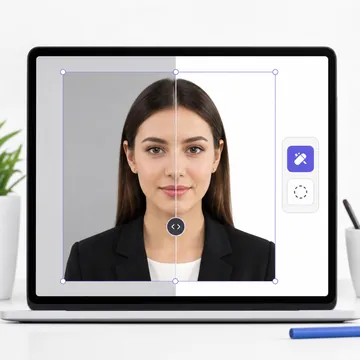
How to Remove Photo Background
Our AI-powered background remover works like magic. Upload any photo - selfie, portrait, or group shot - and watch as the background disappears in seconds. Then choose your new background color: white for passports, blue for certain visa photos, or transparent for creative projects.
Start with the browser-based background remover for free; Pro passport exports are clearly marked before checkout. The processing happens right in your browser, so your photos never get uploaded anywhere. Your privacy is protected by design.
Upload Photo
Drag & drop or click to upload any photo
AI Removes BG
Background is removed automatically in seconds
Download
Choose new background & download HD photo
Background Color Options
White Background
Required for US, UK, India, Canada, Australia passports and most visa applications worldwide.
Light Blue Background
Required for Malaysia, Indonesia, and some other Southeast Asian countries.
Light Gray Background
Preferred for France and some European countries. Also accepted for many visa types.
Transparent (PNG)
For creative projects, presentations, or when you want to add your own custom background.
What You Can Use It For
Passport Photos
Remove any background and replace with compliant white
ID Card Photos
Aadhaar, PAN, Voter ID, driver's license and more
Visa Applications
Tourist, work, student visas for any country
LinkedIn/Resume
Professional headshots with clean backgrounds
E-commerce
Product photos with white or transparent backgrounds
Creative Projects
Posters, social media, presentations
Why Choose Our Tool?
| Feature | VisaPicPro | Others |
|---|---|---|
| Price | Free browser tool | $5-15/month |
| Watermark | None | On free tier |
| Sign Up Required | No | Yes |
| Privacy | 100% Local | Server Upload |
| HD Download | Yes | Premium only |
| Passport Sizing | Built-in | No |
Frequently Asked Questions
Is this really free? What's the catch?
Yes, it's genuinely free with no hidden catches! The AI processing happens in your browser using your device's power, so we don't have expensive server costs. We monetize through ads, not subscriptions. No watermarks, no limits, no signup.
Are my photos uploaded to a server?
No! This is a key privacy feature. All processing happens locally in your browser using AI models that run on your device. Your photos never leave your device. We literally can't see them even if we wanted to.
What image formats are supported?
We support JPG, JPEG, PNG, and WebP. For best results, use high-resolution photos. The output can be downloaded as JPG (with colored background) or PNG (for transparent background).
Can I use this for passport photos?
Absolutely! That's our specialty. After removing the background, you can set it to white (or the required color for your country), and our tool will also resize the photo to exact passport specifications. It's a complete passport photo solution.
Ready to Remove Your Background?
Upload any photo and watch the background disappear in seconds. Choose your new background color and download in HD. It's that easy.
Remove Background Now - It's Free!