V VisaPicPro
ID

United States Photo Requirements

Passport, Visa & Green Card Photos

Create official-compliant photos for all US documents. Free, instant, no signup.

Last updated: February 2026 | By Prabir Sarkar
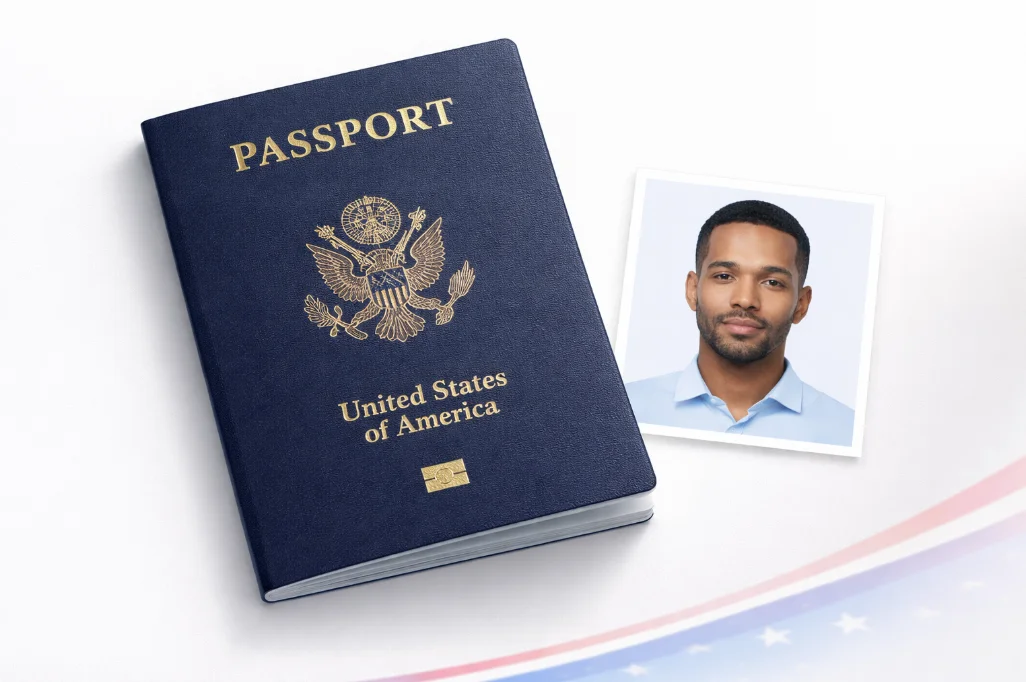
US passport photo requirements - 2x2 inch American passport, visa and green card photo maker
4+
Document Types
2 x 2"
Standard Size
AI
Background Remover
FREE
No Cost

Choose Your Document Type

US Passport Photo

Most Popular
2 x 2"
2 x 2 inches
51 x 51 mm
White Background
No No Glasses (since 2016)
OK 50-69% Face Coverage

US Visa Photo

2 x 2"
2 x 2 inches
51 x 51 mm
White Background
OK Embassy Requirements

Green Card Photo

2 x 2"
2 x 2 inches
51 x 51 mm
White Background
OK USCIS Compliant

DV Lottery Photo

600 x 600px
600px
600 x 600 pixels
Digital Only
240KB JPEG
OK Green Card Lottery
V

Important: No Glasses Policy

Since November 2016, the U.S. State Department no longer accepts passport photos with glasses, except for rare medical conditions with a signed doctor's note.

US Passport Photo Size Guide

The standard US passport photo must be exactly 2 x 2 inches (51 x 51mm) with the head measuring 1 x 1 inches from chin to crown.
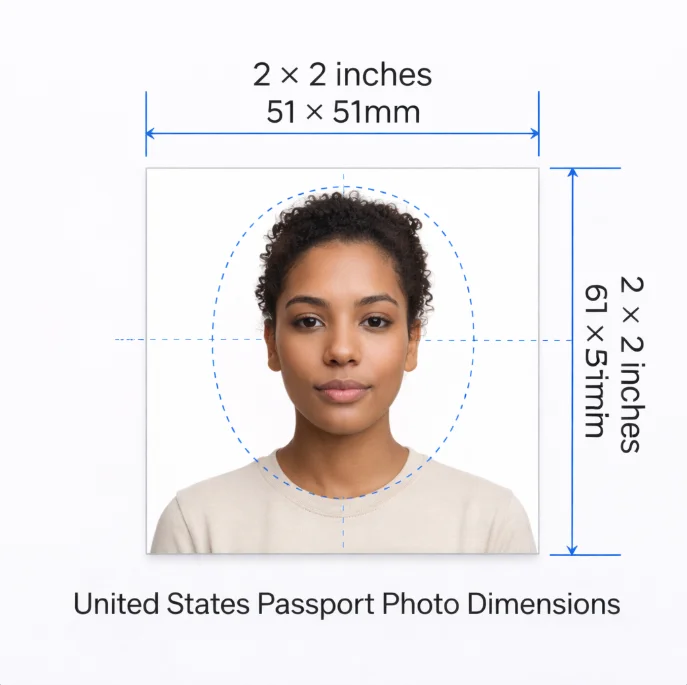
US passport photo size diagram - 2x2 inch dimensions with head position and margin measurements

US Passport Photo Requirements

Requirements

  • OK 2 x 2 inches (51 x 51mm) exact size
  • OK White or off-white background
  • OK Head must be 1-1 inches from chin to top
  • OK Taken within the last 6 months
  • OK Full face visible, front view

Not Allowed

  • No Eyeglasses of any kind
  • No Headphones or wireless devices
  • No Uniforms (except religious)
  • No Hats (except religious)
  • No Photo filters or editing
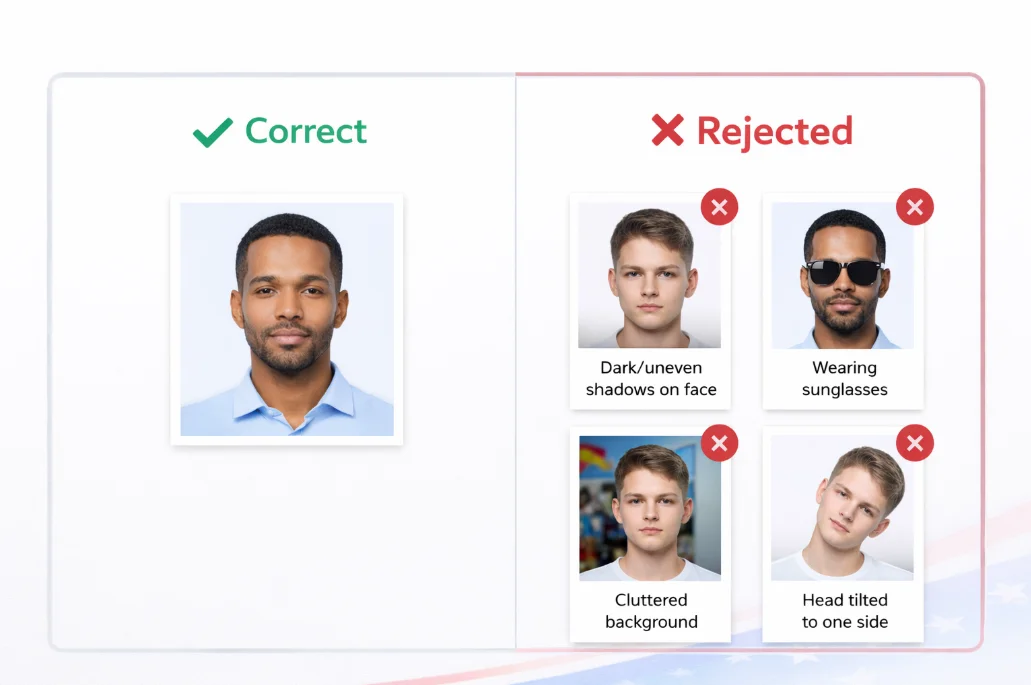
US passport photo do's and don'ts - correct vs rejected photo examples

Sample Compliant US Passport Photo

Here's what a properly formatted US passport photo looks like - white background, neutral expression, no glasses, correct head position.
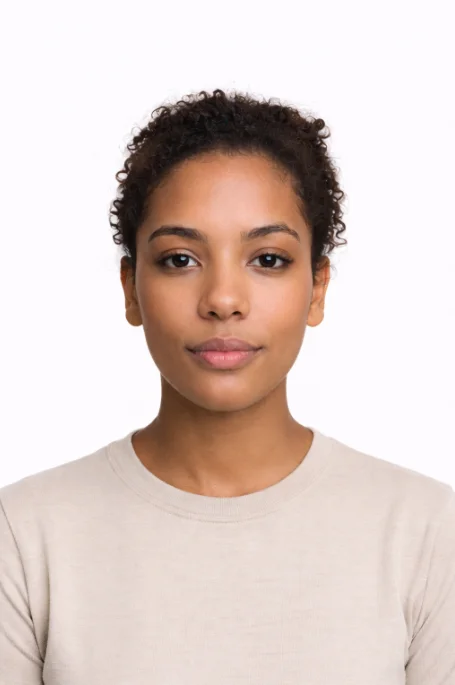
Sample compliant US passport photo - correct format with white background and proper dimensions

Ready to Create Your US Photo?

Upload your photo and get professional results in 60 seconds. Free, no signup required.

Create Photo Now

Frequently Asked Questions

What size is a US passport photo?
US passport photos must be exactly 2 x 2 inches (51 x 51mm). The face should take up 50-69% of the photo height, with eyes between 1 to 1 inches from the bottom.
Can I wear glasses in my US passport photo?
No. As of November 2016, the State Department no longer accepts passport photos with glasses, even prescription glasses. Remove them before taking your photo.
What background color is required for US passport photos?
The background must be plain white or off-white. No patterns, shadows, or other people should be visible. Our tool automatically creates a compliant white background.
How recent does my passport photo need to be?
Your photo must be taken within the last 6 months. It should accurately represent your current appearance. Significant changes like weight loss, new hairstyle, or aging may require a new photo.
Can I smile in my US passport photo?
A neutral expression with a natural smile is acceptable. However, avoid wide open-mouthed smiles. Keep your mouth closed and maintain a relaxed, natural expression.

Other Popular Countries

ID
India
ID
UK
ID
Schengen
ID
Canada
ID
Australia
ID
UAE

Complete Guide to US Passport & Visa Photos

Understanding US Passport Photo Requirements

The United States Department of State has some of the most strictly enforced passport photo requirements in the world. Every year, millions of passport applications are delayed or rejected due to non-compliant photographs. Understanding these requirements thoroughly can save you weeks of processing time and the frustration of resubmission.

US passport photos must be exactly 2 x 2 inches (51 x 51mm), taken within the last 6 months, and printed on photo-quality paper. The photo must show a full front view of your face with a neutral expression on a plain white or off-white background. Since November 2016, the State Department no longer accepts photos where the applicant is wearing eyeglasses - this applies to both prescription glasses and sunglasses, with no exceptions.

Where to Apply for a US Passport

For first-time applicants, you must apply in person at an authorized passport acceptance facility. There are over 7,600 acceptance facilities across the United States, including post offices, county clerk offices, and libraries. Major cities have dedicated passport agencies for expedited processing:

  • New York Passport Agency - 376 Hudson Street, New York, NY 10014
  • Los Angeles Passport Agency - Federal Building, 11000 Wilshire Blvd, Los Angeles, CA 90024
  • Chicago Passport Agency - Ralph Metcalfe Federal Building, 77 West Jackson Blvd, Chicago, IL 60604
  • Miami Passport Agency - Claude Pepper Federal Building, 51 SW 1st Avenue, Miami, FL 33130
  • Houston Passport Agency - Mickey Leland Federal Building, 1919 Smith Street, Houston, TX 77002
  • Washington Passport Agency - 600 19th Street NW, Washington, DC 20006

For renewals, eligible applicants can mail their application using Form DS-82. You can renew by mail if your most recent passport is undamaged, was issued when you were 16 or older, was issued within the last 15 years, and is in your current legal name (or you can document a name change).

Common Reasons US Passport Photos Get Rejected

According to the State Department, the most frequent reasons for photo rejection include:

  1. Wearing eyeglasses - The single most common rejection reason since the 2016 rule change. Even clear prescription lenses cause glare that interferes with facial recognition systems.
  2. Incorrect dimensions or cropping - The head must measure between 1 inch and 1 inches (25-35mm) from chin to crown. Many home-taken photos fail this requirement.
  3. Shadows on face or background - Uneven lighting creates shadows that make the photo non-compliant. The background must be uniformly white.
  4. Photo too old - Your photo must accurately represent your current appearance and be taken within 6 months of your application date.
  5. Incorrect expression - While a natural smile is acceptable, open-mouthed expressions, squinting, or other exaggerated facial expressions will be rejected.
  6. Head coverings - Only religious or medical head coverings are permitted, and even then, your full face must be visible from hairline to chin.

Digital Photo Requirements

If submitting a digital photo for online passport renewal or DS-160 visa applications, the image must be between 600 x 600 and 1200 x 1200 pixels, in JPEG format, and smaller than 240KB. The State Department uses facial recognition software to verify compliance, so digital alterations or filters will cause automatic rejection.

Processing Times & Fees (2026)

As of 2026, standard passport processing takes 6-8 weeks, while expedited service costs an additional $60 and reduces the wait to 2-3 weeks. A new adult passport book costs $130 (application fee) plus a $35 execution fee for first-time applicants. Passport card applications cost $30 plus the execution fee.

Official Sources

Helpful Passport Photo Guides

Passport Photo Size Guide

Complete size chart in pixels, cm, and inches for 50+ countries.

How to Make Passport Photos at Home

Step-by-step guide to take and print passport photos yourself.

12 Reasons Photos Get Rejected

Common mistakes that cause passport photo rejection and quick fixes.