VisaPicPro

Contact Us

Have a question or feedback? We'd love to hear from you!

How to Get Faster Support

For passport or visa photo questions, include the country, document type, and the rejection message you received. For payment or access help, include your PayPal order ID and the email used during checkout. Please do not send passport scans, national ID numbers, or other private documents unless we specifically ask for a non-sensitive screenshot.

Photo Help

We can help with crop, lighting, background, file size, print sheet, and country preset questions. A short description of the problem is usually enough.

Access Help

If payment completed but Pro access did not unlock, send the order ID. We can verify the order and issue a secure restore link when the payment is confirmed.

We normally answer by email because many issues require checking a country preset, browser behavior, or payment record. If your issue is urgent, write a clear subject line such as "Payment completed but access missing" or "Passport photo rejected for background" so it can be routed faster.

For privacy, avoid attaching original identity documents. If a screenshot is needed, blur passport numbers, addresses, barcodes, and application reference numbers. Support can usually troubleshoot using the rejection text, selected country preset, browser name, and a description of the export you tried to download.

If you are reporting a technical issue, mention whether you are using mobile or desktop and whether the problem happened during upload, crop, background removal, checkout, or download. This helps us reproduce the exact workflow instead of guessing from a general message.

Clear reports help us fix real user problems faster.
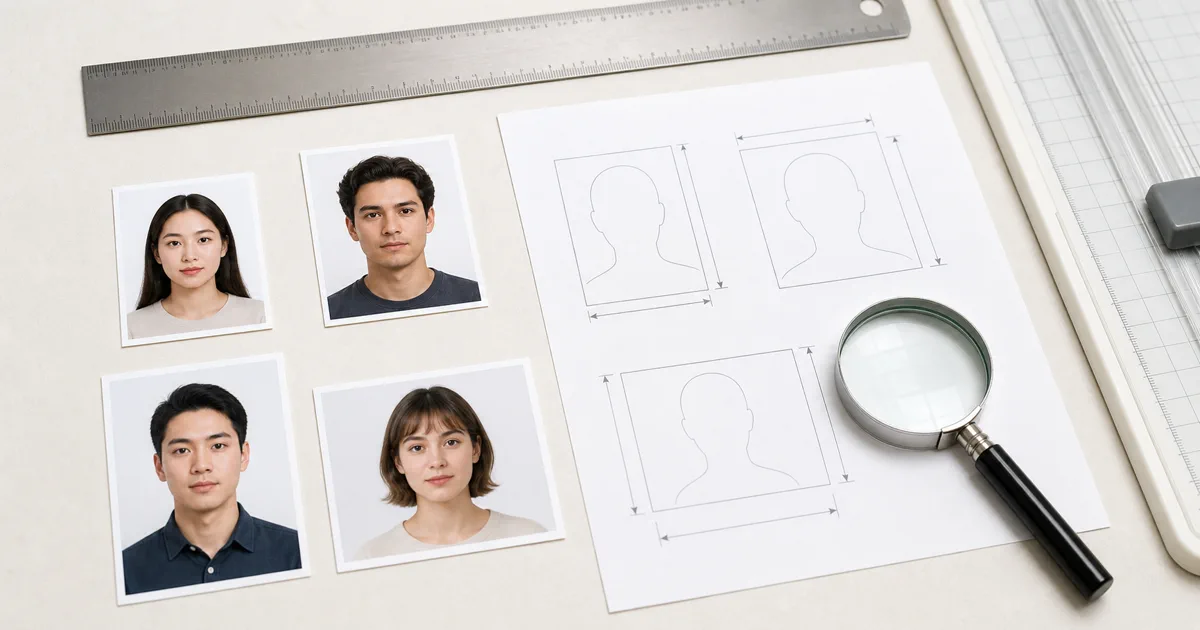
Contact Us realistic preview

Photo guide preview

Contact Us: what to check before download

Use this Contact Us guide to check the photo size, background, face position, and export format before you upload or print your document photo.

Before submitting, compare the final crop against your appointment checklist. A clean source photo, even lighting, and the right print resolution usually matter more than aggressive editing or artificial sharpening.

Quick Contact

Response Time

24-48 hours

Need Quick Answers?

Check our FAQ section for instant answers to common questions.

View FAQ

Follow Us

Common Questions

How long until I get a response?

We typically respond within 24-48 hours on business days.

Can I request a new feature?

Absolutely! Select "Feedback & Suggestions" in the form and describe your idea.

My photo was rejected. Can you help?

Yes! Send us the rejection details and we'll help you create a compliant photo.

Do you offer phone support?

Currently we only offer email support. Most issues are resolved within 24 hours.

How We Can Help

Photo Rejected?

If a passport office or visa application rejected your photo, tell us the country and the reason given. We'll help you understand exactly what needs fixing and guide you through creating a compliant photo.

Found a Bug?

Something not working right? Let us know your browser, device, and what happened. Screenshot or screen recording helps a lot. We fix most reported bugs within 48 hours.

Feature Request

Want a new country added, a different photo size, or a tool feature? We take every suggestion seriously. Many of our tools - like the collage maker and bulk resizer - came directly from user feedback.

Printing Problems

Photos look too small, too large, or blurry when printed? This is usually a DPI or paper size setting issue. Contact us with the country and printer model - we'll walk you through the correct settings.

Partnership

Run a travel blog, immigration consultancy, or photo studio? We're open to collaborations - guest articles, tool integrations, and referral partnerships. Drop us a line with your idea.

Country Not Listed?

We currently support 50+ countries with specific photo presets. If your country isn't listed, message us with the country name and official photo specifications - we'll add it within a week.

Helpful checklist

Practical notes for Contact Us

This page is part of the trust layer for VisaPicPro. It explains how users can contact the site, understand the photo workflow, and review the limits of the browser-based service before they upload or export a document photo.

The site is designed around practical passport and visa photo preparation: clear size guidance, visible export choices, and payment wording that separates the daily standard download from HD or print-ready upgrades.

When policy, pricing, or data-handling details change, this page should stay aligned with the editor, checkout page, and support copy so visitors do not see conflicting claims.

Quality notes

Service clarity and user trust notes

VisaPicPro needs support and policy pages that match the real product experience. The wording here avoids broad promises and explains the actual workflow: users can create a standard file, while HD and print-ready exports are paid upgrades when they need stronger output.

Keep screenshots of payment receipts, PayPal transaction IDs, and the browser/device used if you need support after purchase. This makes it easier to match an entitlement with a real payment without asking users for sensitive photo files.

For AdSense and user trust, each public page should describe a real part of the service. Generic placeholder wording, conflicting free/paid claims, and missing contact or privacy details can make the site look unfinished even when the editor works well.

One standard daily download is available for quick use. Choose HD or print-ready export when you need sharper output, repeated downloads, multiple paper sizes, or a printable sheet that keeps the final size consistent.

Before export: preview the crop at full size and check the background edge.
Before submit: compare the file with the latest appointment or upload checklist.
For print: use 300 DPI and avoid resizing the downloaded file manually.
For privacy: keep your original photo local unless an official portal asks for upload.