V VisaPicPro
US Official Requirements

US Passport Photo Size and Requirements 2026

Prepare a 2 x 2 inch passport photo with the State Department checks people most often miss: centered head, plain white background, no glasses, even lighting, and photo-quality printing.
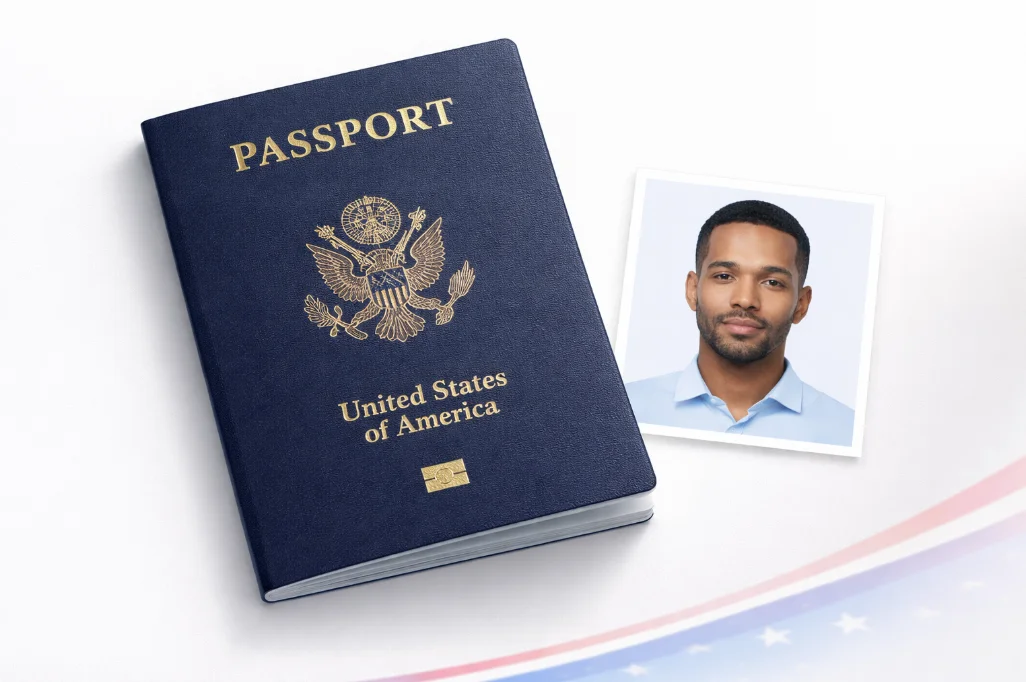
U.S. passport photo preparation workspace with 2x2 inch print-ready layout
US Passport Photo Size and Requirements 2026 realistic preview

Photo guide preview

US Passport Photo Size and Requirements 2026: what to check before download

Use this US Passport Photo Size and Requirements 2026 guide to check the photo size, background, face position, and export format before you upload or print your document photo.

Before submitting, compare the final crop against your appointment checklist. A clean source photo, even lighting, and the right print resolution usually matter more than aggressive editing or artificial sharpening.

Quick answer

U.S. passport photos are 2 x 2 inches with a 1 to 1 3/8 inch head height.

Use one recent color photo, face the camera directly, keep both eyes open, remove glasses, and use a plain white or off-white background. Print on matte or glossy photo-quality paper.

Size
2 x 2 in
Head
1-1 3/8 in
Background
White/off-white
Glasses
Not allowed
Age
Last 6 months
Reviewed
July 20, 2026
2 x 2"
Photo Size
1-1"
Head Height
White
Background
No
Glasses

Official US Passport Photo Requirements

The U.S. Department of State has strict requirements for passport photos. Photos that don't meet these specifications will be rejected, causing delays in your application.

Size Requirements

Photo Size 2 x 2 inches (51 x 51 mm)
Head Height 1" to 1" (25mm to 35mm)
Eye Position 1" to 1" from bottom
Resolution 600 x 600 pixels minimum
File Size (digital) 240KB to 10MB

Photo Guidelines

  • OK Taken within the last 6 months
  • OK White or off-white plain background
  • OK Face directly facing the camera
  • OK Neutral expression with both eyes open
  • OK Proper lighting with no shadows
  • OK Normal everyday clothing

Important: No Glasses Policy

Since November 1, 2016, the U.S. State Department no longer accepts passport photos where the applicant is wearing glasses. This applies to all types of eyewear, including:

  • No Prescription glasses
  • No Reading glasses
  • No Sunglasses
  • No Tinted lenses

Exception: Only allowed with a signed medical statement from a doctor explaining why glasses cannot be removed.

What's NOT Allowed

Glasses
Since Nov 2016
Headphones
Any wireless devices
©
Hats
Except religious
Uniforms
Except religious

Why Choose VisaPicPro Over CVS/Walgreens?

Cost

Avoid store surprises

Store passport-photo pricing changes by brand and location. Use the tool to prepare one standard daily download, then print locally or upgrade for an HD 300 DPI sheet.

Fast

Instant Results

No waiting, no appointment. Create your photo in 60 seconds from home, any time of day.

Retake

Check before printing

Retake your source photo until the face is centered, the background is clean, and the lighting is even before you export the final file.

Frequently Asked Questions

What size is a US passport photo?
A US passport photo must be exactly 2 x 2 inches (51 x 51mm). The head, measured from the bottom of the chin to the top of the hair, must be between 1 inch and 1 inches (25mm to 35mm). For digital submissions, the minimum resolution is 600 x 600 pixels.
Can I smile in my passport photo?
You should have a neutral facial expression or a natural smile. Avoid wide grins that show teeth excessively or change the natural appearance of your face. Both eyes must be open and looking directly at the camera.
How much does a passport photo cost at CVS?
Store prices vary by brand and location. Before you visit CVS, Walgreens, Walmart, USPS, or a local studio, check the current online price and whether they provide two printed copies or only a digital service. VisaPicPro lets you prepare one standard single-photo download per day; HD single-photo and 300 DPI print-sheet exports are available with Pro.
Can I take my own passport photo at home?
Yes! You can take your passport photo at home using your smartphone. Stand against a plain white wall, ensure good lighting (natural light works best), and have someone take the photo at eye level. Then use VisaPicPro to process it to the correct size and specifications.
Where can I print my passport photo?
After creating your photo with VisaPicPro, you can print it at:
  • CVS Photo Center (around $0.35 per 4 x 6 print)
  • Walgreens Photo (around $0.35 per 4 x 6 print)
  • Walmart Photo Center
  • Costco Photo Center
  • Any local photo printing service
  • Home printer on photo paper

Other US Photo Types

Ready to Create Your US Passport Photo?

Upload your photo, check the U.S. size rules, and export one standard daily download. Upgrade only if you need HD or a 300 DPI print sheet.

Create Photo Now