📸 VisaPicPro
🇮🇳 Most Popular

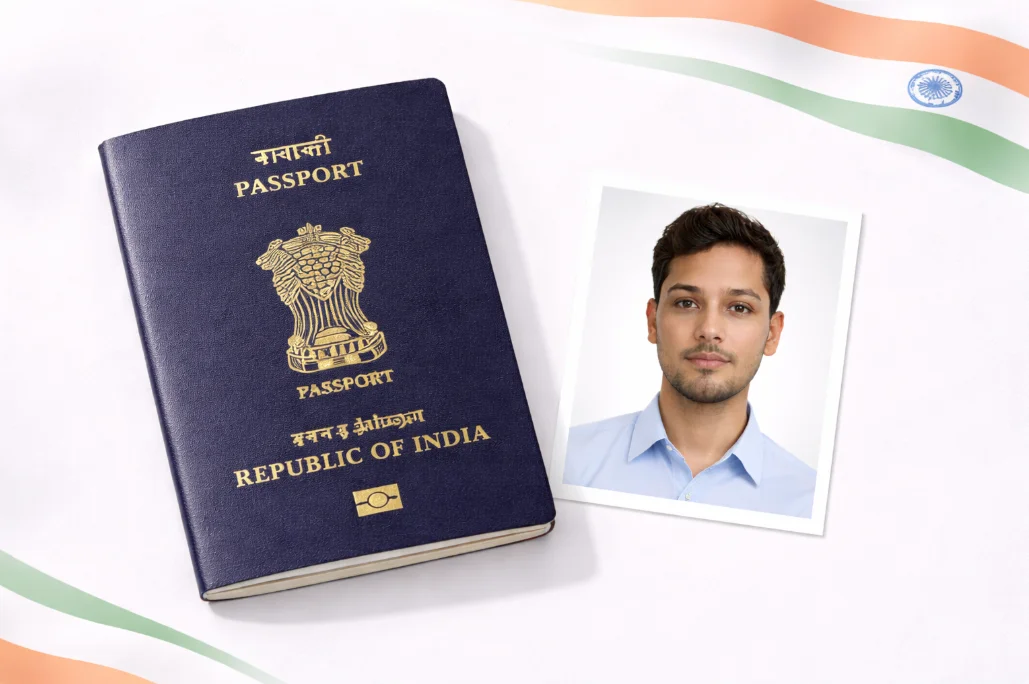
India Passport Photo

51 × 51 mm (2 × 2 inches)

Create passport photos that meet Government of India requirements. White background, 300 DPI, instant download.

Create Photo Now →
51×51mm
✓ Valid

Preview of correct size

📐
51 × 51 mm
Photo Size
White
Background
🔍
300 DPI
Resolution
👤
70-80%
Face Coverage

Official Requirements

Technical Specifications

Photo Size 51 × 51 mm
Size in Inches 2 × 2 inches
Resolution 300 DPI minimum
Background Color White
Face Coverage 70-80% of photo
File Format JPEG / JPG
File Size 10KB - 300KB
Photo Age Within 6 months

Photo Guidelines

51mm
  • Face must be centered and clearly visible
  • Both ears should be visible
  • Neutral expression, mouth closed
  • Eyes open and clearly visible
  • No shadows on face or background

Common Mistakes to Avoid

Blurry or Pixelated

Photo must be sharp and clear with no blur or pixelation. Use a high-quality camera.

Shadows on Face

Ensure even lighting on your face. No shadows under eyes, nose, or on the background.

Wrong Background

Only plain white background is accepted. No patterns, textures, or colored backgrounds.

Face Too Small

Your face should cover 70-80% of the photo. Don't stand too far from the camera.

Glasses with Glare

If wearing glasses, ensure no glare on lenses and eyes are clearly visible. Better to remove them.

Old Photo

Photo must be taken within the last 6 months and accurately represent your current appearance.

How to Take a Perfect Passport Photo

📸

1. Take Your Photo

Stand in front of a plain wall. Use natural lighting or a well-lit room. Face the camera directly.

⬆️

2. Upload Photo

Upload your photo to our tool. Our AI will automatically remove the background and adjust the size.

3. Download & Print

Download your passport photo instantly. Print on photo paper or use for online applications.

Create Your Photo Now →

Frequently Asked Questions

What is the size of Indian passport photo?
The standard Indian passport photo size is 51mm × 51mm (2 inches × 2 inches). The photo must have a plain white background with face covering approximately 70-80% of the photo area. Resolution should be at least 300 DPI.
What background color is required?
Plain white background is required for Indian passport photos. The background must be solid white without any patterns, textures, or shadows. Our AI tool automatically removes any background and replaces it with a compliant white background.
Can I wear glasses in my passport photo?
It is not recommended to wear glasses in Indian passport photos. If you must wear glasses for medical reasons, ensure:
  • No glare on the lenses
  • Eyes are clearly visible
  • No tinted or colored lenses
For best results, remove glasses when taking the photo.
How many photos are required for passport application?
For a new Indian passport application, you typically need 2 identical photos. For passport renewal or other services, requirements may vary. Our print layout feature lets you print multiple photos on a single sheet.
Can I use a phone camera to take passport photo?
Yes! Modern smartphone cameras are perfectly capable of taking passport photos. Tips for using phone camera:
  • Use the rear camera for better quality
  • Ensure good lighting (natural daylight is best)
  • Hold phone at eye level
  • Keep phone steady or use a tripod
  • Upload to our tool and we'll handle the rest!
Is this service really free?
Yes, our passport photo maker is 100% free to use. There are no hidden charges, no signup required, and no watermarks on your photos. We believe everyone should have access to quality passport photos without paying expensive studio fees.

Ready to Create Your Indian Passport Photo?

Upload your photo and get professional results in 60 seconds. Free, no signup required.

Create Photo Now →

Other India Documents

📄
Visa Photo
35×35mm
🪪
Aadhaar Card
25×30mm
💳
PAN Card
25×30mm
🚗
Driving License
35×45mm