Drop your photo here
or click to browse
Supports JPG, PNG, WebP - Max 50MB - 100% Private
Preview
Adjustments
Download Your Photo
How to Edit Your Photos
Upload Photo
Select or drag & drop your photo
Adjust Settings
Use sliders or quick presets to enhance
Download
Save your enhanced photo
Brightness & Exposure
Fix dark or overexposed photos
Color Adjustments
Saturation, temperature, tint controls
Quick Presets
One-click enhancements
100% Private
All processing in your browser
What is Photo Editor?
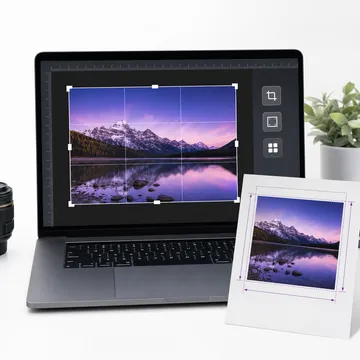
Ever taken a photo that's almost perfect but needs just a little tweak? Maybe the lighting is off, or it looks a bit dull. That's exactly what this tool is for. Our Photo Editor lets you adjust brightness, contrast, saturation, and more - all without downloading any software.
Unlike Photoshop or other complex apps, there's no learning curve here. Just upload your image, move a few sliders, and you're done. It works on any device - your phone, tablet, or computer. And the best part? Your photos never leave your device, so your privacy stays intact.
Why Use Our Photo Editor?
No Installation Needed
Skip the app downloads. This editor runs entirely in your browser, whether you're on Windows, Mac, Android, or iOS.
Simple Yet Powerful
We've included the adjustments people actually use - brightness, contrast, saturation, sharpness, blur, and rotation. Nothing overwhelming.
Instant Results
See changes as you make them. No waiting, no processing time. Adjust, preview, and download in seconds.
High Quality Output
Download your edited photo in full resolution. We don't compress or reduce quality - what you upload is what you get back.
When Would You Use This?
- OK Social media posts - Brighten up that selfie before posting on Instagram or Facebook.
- OK Product photos - Make your items look more appealing for online selling.
- OK Old photos - Give faded or dark photos a fresh look.
- OK Quick fixes - Rotate a sideways photo or crop out unwanted edges.
- OK Work documents - Clean up scanned documents or screenshots.
Quick Tips for Better Edits
Start with brightness - If your photo looks too dark or washed out, adjust brightness first. Everything else will look better once the exposure is right.
Don't overdo saturation - A little boost makes colors pop, but too much looks unnatural. Keep it subtle unless you're going for an artistic effect.
Sharpen last - Apply sharpening after all other edits. It works best as a finishing touch, especially for photos that will be printed.
Use presets as starting points - Our presets give you a quick baseline. You can always fine-tune individual settings after applying one.
Frequently Asked Questions
Is this photo editor really free?
Yes, the browser photo editor can be used without signup or watermarks. Passport HD and print-ready exports are marked separately when they require Pro.
Do you store my photos on your servers?
No. All editing happens right in your browser. Your images never get uploaded anywhere - they stay on your device the entire time.
What image formats can I edit?
You can upload JPG, PNG, WebP, and most common image formats. The output is typically JPG or PNG depending on your original file.
Can I undo my changes?
Yes! Click the "Reset" button to go back to the original image. You can also adjust individual sliders to reverse specific changes.
Will the image quality be reduced?
Not at all. We preserve the original resolution and quality. Your edited photo will be just as sharp as the original.
Does it work on mobile phones?
Absolutely. The editor is fully responsive and works great on smartphones and tablets. No app installation required.