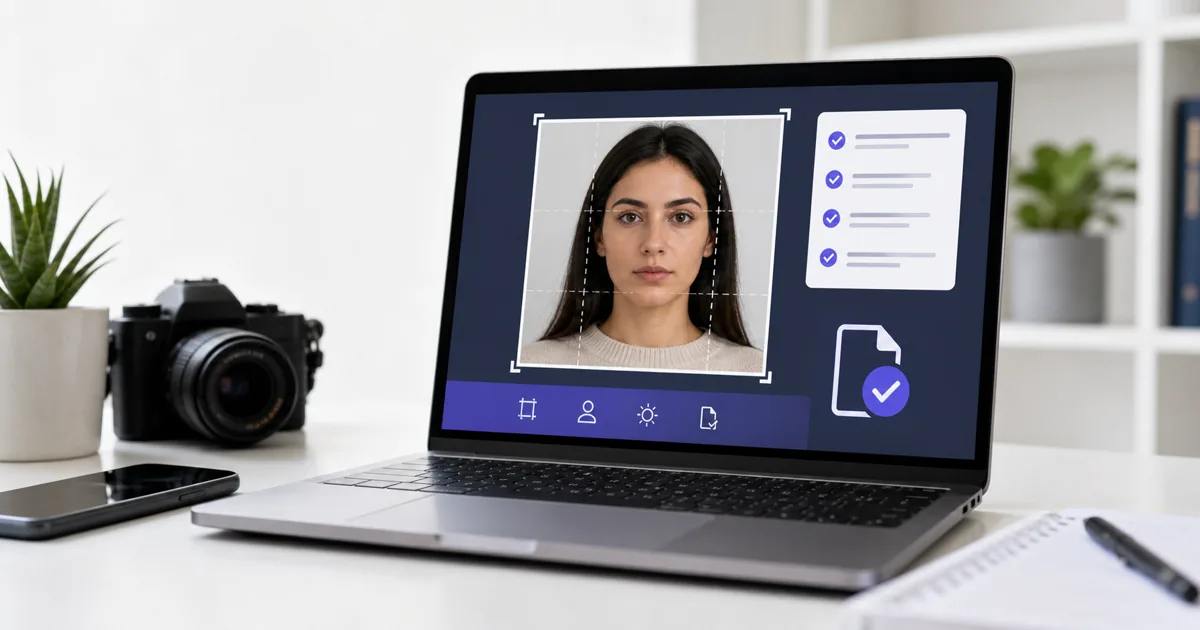
The US Diversity Visa (DV) Lottery receives over 20 million entries every year, but only about 55,000 visas are available. With odds that slim, you cannot afford to have your entry disqualified over a noncompliant photo. The photo validation system is automated, so even small deviations - a pixel too few, a file too large, a shadow too dark - can cause an automatic rejection. This guide covers every requirement.
Digital Specifications
The DV Lottery is entirely online, so every photo must be a digital file. Here are the exact technical specifications:
| Dimensions | 600 x 600 pixels (minimum) |
| Maximum size | 1200 x 1200 pixels |
| Aspect ratio | 1:1 (must be square) |
| File format | JPEG (.jpg or.jpeg) |
| Maximum file size | 240 KB |
| Color space | sRGB (24-bit color) |
| Compression | Standard JPEG (not progressive) |
Critical: The photo validator is automated
The dvprogram.state.gov system uses an automated validator that checks dimensions, file size, format, head position, and background. It will reject your photo instantly if any technical parameter is off. You will see the error before submission, so you can fix it and re-upload.
Photo Content Requirements
Beyond the technical specifications, the actual content of the photo must follow US passport photo standards:
Required
- OK White or off-white background
- OK Full front view of face
- OK Neutral expression, mouth closed
- OK Both eyes open and visible
- OK Taken within the last 6 months
- OK Head centered in the frame
- OK Head height 50 x 69% of total image height
- OK Eye height 56 x 69% from bottom
Not Allowed
- No Glasses of any kind
- No Hats, headphones, earbuds
- No Shadows on face or background
- No Smiling or exaggerated expression
- No Edited/filtered/retouched photos
- No Selfies (arm visible)
- No Scanned printed photos (if poor quality)
- No AI-generated or heavily altered photos
Family Member Photos
If you are including family members in your DV Lottery entry (spouse, unmarried children under 21), each person needs their own individual photo. All photos must meet the same specifications.
For babies and young children:
- The child must be the only person in the photo (no parent holding them)
- Eyes should be open (for infants, this can be challenging - take multiple shots)
- White background still required
- Same 600 x 600px, JPEG, under 240KB specs apply
For tips on photographing babies, see our baby passport photo guide.
Common Errors and How to Fix Them
"Photo dimensions are incorrect"
Your image is not square, or it is smaller than 600 x 600 pixels. Crop it to a 1:1 square and resize to exactly 600 x 600 or larger (up to 1200 x 1200).
"File size exceeds 240KB"
Compress the JPEG quality. Reduce quality from 100% to 80 x 85%. At 600 x 600 with 85% quality, most photos are under 150KB.
"Head position out of range"
The head is too large (over 69% of frame) or too small (under 50%). Zoom in or out and recrop. The automated system measures from chin to crown.
"Invalid file format"
The file is PNG, HEIC, BMP, or another format. Convert to JPEG. Also make sure it is not a progressive JPEG - use baseline (standard) encoding.
"Face not detected"
The automated system could not find a face. Usually caused by very low contrast, extreme shadows, or the face being too small in the frame. Ensure good lighting and proper head size.
How to Create a DV Lottery Photo
- 1 Stand against a plain white wall with natural light from a window (facing you, not behind you)
- 2 Have someone take the photo at eye level, about 4 feet away. No selfies.
- 3 Remove glasses. Keep a neutral expression with mouth closed.
- 4 Upload to VisaPicPro and select "United States"
- 5 The tool crops to the correct head height, removes the background to white, and outputs a 600 x 600px JPEG under 240KB
- 6 Download and upload directly to dvprogram.state.gov
DV Lottery Photo vs Regular Passport Photo
| Specification | DV Lottery | US Passport (printed) |
|---|---|---|
| Format | Digital only (JPEG) | Printed on paper |
| Size | 600 x 600px | 2 x 2 inches |
| Max file | 240KB | N/A (printed) |
| Background | White | White |
| Glasses | Not allowed | Not allowed |
| Validation | Automated (instant) | Manual review |
| Recency | Last 6 months | Last 6 months |
The content requirements (expression, background, head position) are identical. The key difference is the delivery format: the DV Lottery is digital-only, while a passport application typically requires printed photos. For full green card photo details, see our green card photo requirements guide.
Frequently Asked Questions
What size should a DV Lottery photo be?
Can I use my passport photo for the DV Lottery?
What happens if my photo is rejected?
Do family members need separate photos?
Can I take the photo with my phone?
Create Your DV Lottery Photo Free
Upload your photo, get a 600 x 600px JPEG under 240KB with white background - ready for dvprogram.state.gov in seconds.
Create DV Lottery Photo FreeFree Tools
Image Compressor
Compress to under 240KB for DV entry
Photo Resizer
Resize to exactly 600 x 600 pixels
Format Converter
Convert PNG/HEIC to JPEG format
Background Remover
Plain white background required
Related Articles
Green Card Photo Requirements
Full I-485, I-130, I-751 photo specifications.
Top 10 Rejection Reasons
Why photos get rejected and how to avoid it.
Take Passport Photo With Phone
Step-by-step DIY guide for compliant photos.
Background Rules for Passport Photos
White, blue, grey - which countries need what.