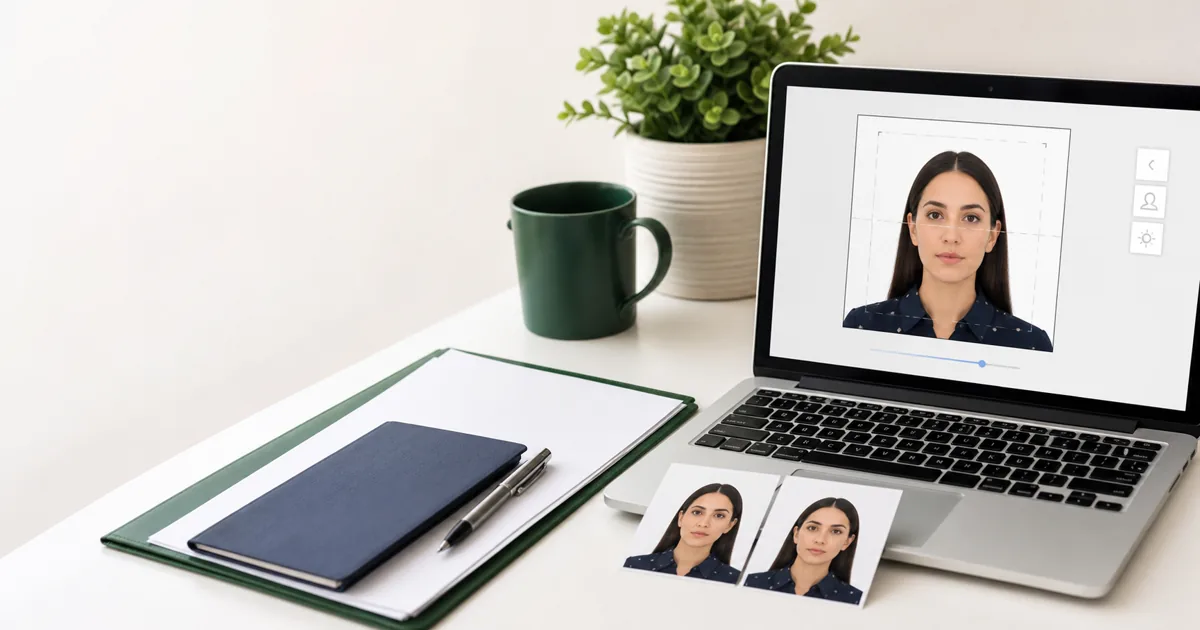
Getting your green card photo wrong can delay your immigration application by weeks or months. USCIS has specific photo requirements that match US passport standards - but there are a few extra considerations depending on whether you are submitting Form I-485, I-130, I-751, or a DV Lottery entry. This guide covers all of them.
Quick Specs at a Glance
| Size | 2 x 2 inches (51 x 51 mm) |
| Head height | 1 inch to 1 inches (25 x 35 mm) |
| Eye height | 1 to 1 inches from bottom edge |
| Background | White or off-white |
| Expression | Neutral, mouth closed |
| Glasses | Not allowed |
| Recency | Taken within the last 6 months |
| Quantity | 2 identical printed photos |
| Digital (if needed) | 600 x 600 px minimum, JPEG, max 240KB |
Size Requirements in Detail
The green card photo size is identical to the US passport photo: 2 x 2 inches (51 x 51 mm). This is a square photo, which is different from the rectangular format used by most other countries.
Within that 2 x 2 inch frame, USCIS has specific positioning requirements:
- Head height: The head (from chin to top of hair) must be between 1 inch and 1 inches (25 x 35 mm)
- Eye position: The eyes should be between 1 and 1 inches from the bottom of the photo
- Centering: The head should be centered horizontally in the frame
- Shoulders: Both shoulders should be visible in the photo
For digital submissions, the minimum resolution is 600 x 600 pixels, and the maximum file size is 240KB in JPEG format.
Full USCIS Photo Requirements
Complete Checklist
Required
- OK 2 x 2 inch (51 x 51mm) size
- OK White or off-white background
- OK Taken within last 6 months
- OK Full front view of face
- OK Neutral expression
- OK Both eyes open and visible
- OK Color photo (not black & white)
- OK Proper lighting, no shadows
Not Allowed
- No Glasses of any kind
- No Hats or headwear (except religious)
- No Uniforms (except religious)
- No Headphones or earbuds
- No Photo filters or digital alterations
- No Selfies (arms must not be visible)
- No Photos older than 6 months
- No Smiling or exaggerated expressions
Green Card Photo vs Passport Photo: Are They the Same?
Short answer: Yes
USCIS uses the exact same photo specifications as the US State Department for passports. If you have a recent US passport photo that was taken within the last 6 months, you can use the same photo for your green card application.
The only situation where the requirements differ slightly is the DV Lottery (Diversity Visa Program), which has additional digital specifications since the entire application is online. We cover those in our DV Lottery photo guide.
Which USCIS Forms Require Photos?
Application to Register Permanent Residence (Adjustment of Status)
2 passport-style photos required. This is the main green card application for people already in the US.
Petition for Alien Relative
1 photo of the petitioner and 1 photo of the beneficiary required.
Petition to Remove Conditions on Residence
2 passport-style photos required for conditions removal (2-year to 10-year green card).
Application to Replace Permanent Resident Card
2 passport-style photos required for green card renewal or replacement.
Diversity Visa Program Entry
1 digital photo per applicant (including spouse and children). Must be 600 x 600 pixels, JPEG format, under 240KB.
Digital Photo Specifications
If you are filing online or need to upload a photo digitally (such as for the DV Lottery or USCIS online filing), your photo must meet these digital specifications:
| Resolution | 600 x 600 pixels (minimum) |
| Maximum resolution | 1200 x 1200 pixels |
| Format | JPEG (.jpg) |
| File size | Maximum 240 KB |
| Color space | sRGB (standard) |
| Aspect ratio | 1:1 (square) |
How to Create a Green Card Photo
You have two options: go to a store or do it yourself.
Option 1: At a store. CVS ($16.99), Walgreens ($14.99), and USPS ($15.00) all take passport-style photos that work for green card applications. Tell them it is for a USCIS application - it uses identical specs to a US passport photo. See our cost comparison guide for all provider prices.
Option 2: DIY at home (free). Take a photo with your smartphone against a white wall, then use a free tool to crop and resize:
- 1 Stand against a plain white wall with good, even lighting
- 2 Have someone take the photo at arm’s length (no selfies - your arm cannot be visible)
- 3 Upload to VisaPicPro and select "United States" as the country
- 4 The tool auto-crops to 2 x 2, removes the background, and generates a printable layout
- 5 Download the digital file for online forms and/or print the 4 x 6 layout at any drugstore ($0.35EUR $0.50)
Common Mistakes That Cause Rejection
Using an old photo
The 6-month rule is strictly enforced. If your appearance has changed (new hairstyle, significant weight change, facial hair), take a new photo even if your existing one is more recent.
Wrong background color
Beige walls, grey walls, and cream walls are not white enough. If you are not sure, use a background removal tool to replace it with pure white.
Wearing glasses
Glasses have been banned in US passport-style photos since 2016. Remove all eyewear including clear frames.
Shadows on face or background
Shadows behind you or on your face will cause rejection. Use front-facing natural light and stand at least 2 feet from the wall.
Head too large or too small in the frame
Your head must be between 1 and 1 inches tall. Too close or too far from the camera will put it out of range.
Frequently Asked Questions
What size is a green card photo?
Are green card and passport photo requirements the same?
How many photos do I need for a green card application?
Can I take my own green card photo?
What background color is required?
Create Your Green Card Photo Free
Upload your photo, select United States, and get a USCIS-compliant photo in under 3 minutes. Print ready and digital ready.
Create Green Card Photo FreeFree Tools
Visa Photo Checker
Check USCIS photo compliance instantly
Photo Resizer
Resize to 2 x 2 inches (600 x 600px)
Background Remover
Remove background to plain white
Print Template
4 x 6 layout with multiple 2 x 2 photos
Related Articles
DV Lottery Photo Requirements
Digital specifications for the Diversity Visa Program.
Passport Photo Cost Comparison
CVS, Walgreens, Walmart prices - or free at home.
Passport Photo Size Guide
Photo sizes for 50+ countries in pixels, cm, and inches.
Passport Photo Rejected? Top 10 Reasons
Common mistakes and how to fix them.