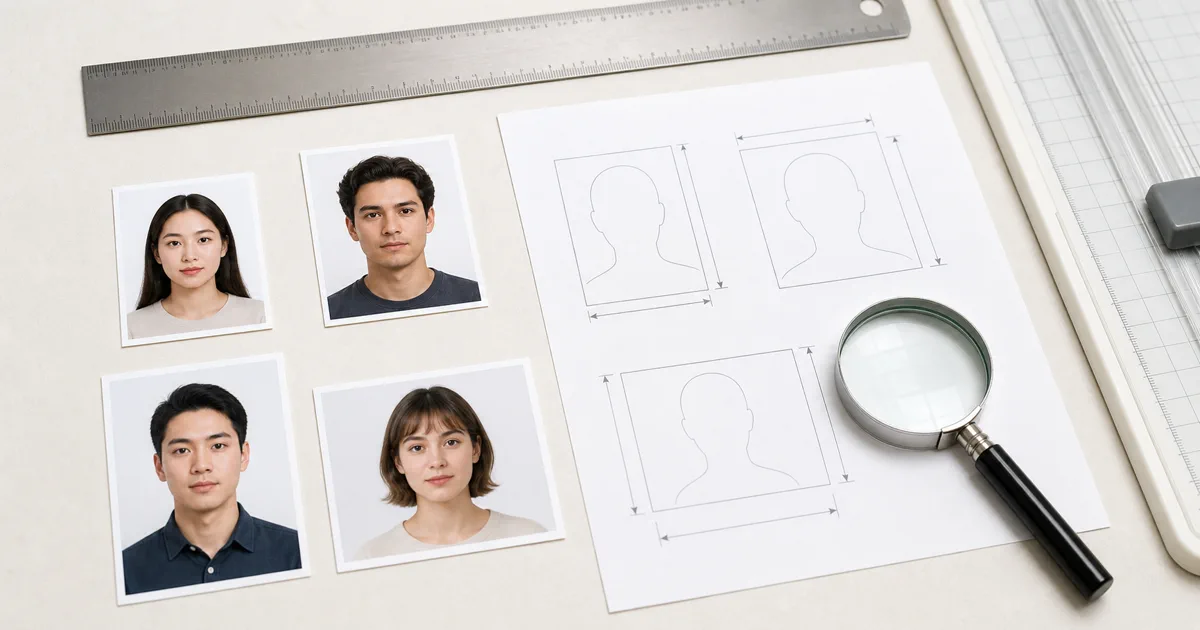
A good passport photo app needs to do three things: capture or process a photo to official specifications, handle the background, and output the correct file size. Some apps charge $5-$15 for this; others include a free standard workflow. We tested seven popular options and compared them on accuracy, ease of use, and value.
Quick Picks
- Best overall (free): VisaPicPro - browser-based, no download, 100+ countries, background removal included
- Best iOS app: Passport Photo - ID Photo App - clean interface, supports many formats
- Best Android app: Passport Photo Booth - solid features, reasonable price
- Best for guaranteed acceptance: PhotoAiD - AI review plus human verification (paid)
What Makes a Passport Photo App Good?
Not all passport photo apps are created equal. Here is what separates a useful app from a waste of time:
Correct Size Templates
Different countries require different photo sizes. The US uses 2 x 2 inches, the UK uses 35 x 45mm, Canada uses 50 x 70mm. A good app has pre-set templates for at least 20+ countries.
Background Removal
Most countries require a white or light-colored background. The best apps can automatically remove your background and replace it with the correct color.
Head Size & Position
Each country specifies exactly how large your head should be in the frame and where it should be positioned. Auto-cropping that follows these rules saves a lot of guesswork.
Print-Ready Output
A 4 x 6 printable layout lets you print multiple passport photos on a single sheet at any drugstore for under $0.50 instead of paying $15+ for the store's service.
1. VisaPicPro (Web-Based - Free)
VisaPicPro
Web app - works on any device
VisaPicPro runs entirely in your browser - no app to download, no account to create. Upload a photo (or take one with your phone camera), select your country, and the tool automatically crops to the correct size, removes the background, and outputs both a digital file and a printable 4 x 6 layout.
Strengths
- OK One standard daily download with clearly marked Pro exports
- OK 100+ country templates
- OK AI background removal included
- OK ICAO compliance checker
- OK No download needed - works in browser
- OK 4 x 6 printable layout generator
Limitations
- No Requires internet connection
- No No native app (browser only)
2. Passport Photo - ID Photo App (iOS)
Passport Photo - ID Photo App
iOS only
One of the highest-rated passport photo apps on the App Store. It lets you take a photo directly in the app or import from your camera roll, then automatically adjusts the crop. Background removal and additional features require a one-time purchase or subscription.
Strengths
- OK Polished native iOS interface
- OK In-app camera with guidelines
- OK Many country templates
Limitations
- No Background removal requires payment
- No iOS only - no Android version
- No Some features behind subscription
3. PhotoAiD (iOS & Android)
PhotoAiD
iOS & Android
PhotoAiD is one of the most well-known passport photo apps. It uses AI to check your photo against government requirements and offers a guarantee that your photo will be accepted. The downside is the price - you pay per photo set, and it is not cheap compared to free alternatives.
Strengths
- OK AI + human photo verification
- OK Acceptance guarantee
- OK Supports 100+ document types
- OK Available on both platforms
Limitations
- No $9.99 per photo set
- No No free option for final download
- No Some users report aggressive upselling
4. Passport Photo Booth (Android)
Passport Photo Booth
Android
A popular Android option with a straightforward interface. The free version includes basic cropping and size templates. Background removal and printing layouts require the pro upgrade, which is a one-time purchase.
Strengths
- OK Simple, easy-to-use interface
- OK Affordable pro upgrade
- OK Supports many country sizes
Limitations
- No Android only
- No Background removal in paid version
- No Ads in free version
5. IDPhoto4You (Web-Based - Free)
IDPhoto4You
Web app
A simple, no-frills web-based tool that has been around for years. You upload a photo, select the country, and it generates a printable layout. It does not include background removal - you need to have a suitable background already.
Strengths
- OK Completely free
- OK Simple interface
- OK Printable 4 x 6 and 10 x 15cm layouts
Limitations
- No No background removal
- No No compliance checker
- No Dated interface
6. Passport Photo Maker (Windows Desktop)
Passport Photo Maker
Windows desktop
A desktop application for Windows that offers fine-grained control over cropping, background replacement, and printing. It is more capable than most phone apps but requires a PC and costs more.
Strengths
- OK Detailed crop controls
- OK Background replacement
- OK Print layouts for various paper sizes
Limitations
- No Windows only
- No $19.99+ license
- No Overkill for a single passport photo
7. 123 Passport Photo (Web-Based - Free)
123 Passport Photo
Web app
Another free web-based option that focuses on simplicity. Upload a photo, select the country, and get a printable PDF. No background removal, but it handles cropping and sizing well.
Strengths
- OK Free, no signup
- OK PDF output for printing
Limitations
- No No background removal
- No Limited country coverage
- No Basic interface
Comparison Table
| App | Price | Platform | BG Removal | Print Layout | Countries |
|---|---|---|---|---|---|
| VisaPicPro | Free | Web (any) | 100+ | ||
| ID Photo App | Freemium | iOS | Paid | 50+ | |
| PhotoAiD | $9.99 | iOS/Android | 100+ | ||
| Photo Booth | Freemium | Android | Paid | 40+ | |
| IDPhoto4You | Free | Web | 30+ | ||
| PP Maker | $19.99+ | Windows | 80+ | ||
| 123 Passport | Free | Web | 20+ |
Frequently Asked Questions
What is the best free passport photo app?
What is the best passport photo app for iPhone?
Are passport photos from apps accepted by the government?
Do I need to pay for a passport photo app?
Skip the Paid Apps - Create Your Photo Free
VisaPicPro does everything the paid apps do - background removal, auto-crop, compliance checking - at absolutely no cost.
Create Passport Photo FreeFree Tools
Background Remover
AI-powered background removal, free
Photo Resizer
Resize to 2 x 2, 35 x 45mm, or any size
Photo Cropper
Precision crop with aspect ratio lock
Image Compressor
Reduce file size for online submissions
Related Articles
Take a Passport Photo with Your Phone
Step-by-step guide to taking passport photos at home.
Passport Photo Cost Comparison
CVS, Walgreens, Walmart - or free at home? Full price breakdown.
Print Passport Photos at Home
How to print on 4 x 6 paper for under $0.50.
Digital Passport Photo Guide
Requirements for online passport applications.