🔒

100% Private: Your photos never leave your device. All processing happens locally in your browser.

Drop your photo here

or click to browse files

Supports JPG, PNG, WebP • Max 10MB

Why Use Our Background Remover?

🚀

Lightning Fast

Remove backgrounds in under 5 seconds using cutting-edge AI

🔒

100% Private

Photos never leave your device. Process offline after first load

💯

Completely Free

First 10 removes free, no watermarks. Share to unlock unlimited

How the Background Remover Actually Works

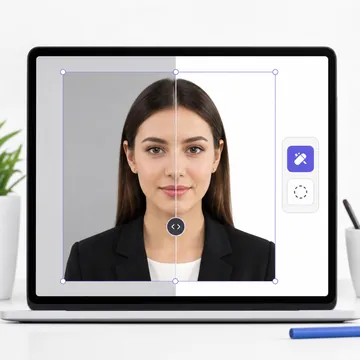
No cloud servers, no accounts, no waiting in queues. Here's what happens behind the scenes when you drop a photo above.

📸

Step 1 — Pick a Photo

Drag and drop or tap the upload area. JPG, PNG, and WebP are all accepted. The image stays in your browser's memory — it never touches our servers.

🤖

Step 2 — AI Does Its Thing

A TensorFlow.js body-segmentation model, powered by MediaPipe, runs on your device's GPU. It maps every pixel as either "person" or "background" and generates a precise mask in seconds.

🎨

Step 3 — Choose & Download

Swap the background to white, blue, gray, red, or keep it transparent. Preview the result instantly, then download a high-resolution file — no watermark attached.

Picking the Right Background Color

Different documents demand different backgrounds. Here's a quick cheat sheet so you never get it wrong.

White

The default for most passports worldwide — US, UK, India, Canada, Australia. Also the standard for Aadhaar, PAN cards, and generic ID photos.

Light Blue

Required by Malaysia, Indonesia, and several other Southeast Asian countries. Some UN agencies also accept light blue.

Light Gray

Accepted in France and a handful of European visa applications. A subtle, professional choice for corporate headshots too.

Transparent (PNG)

Ideal when you want to composite the cutout onto a custom backdrop later — great for presentations, design work, and e-commerce product shots.

Who Uses This Tool?

Thousands of people reach for the background remover every week. Here are the most popular reasons.

🛂

Passport & Visa Photos

Swap a messy room backdrop for a regulation-compliant white in seconds.

🪪

National ID Cards

Aadhaar, driver's license, PAN, voter ID — all need clean backgrounds.

💼

LinkedIn & Resumes

A crisp, distraction-free headshot makes a stronger first impression.

🛒

Product Photography

White-background product images are required by Amazon, eBay, and Etsy.

🎓

School & College Forms

Admission forms and student IDs usually demand a plain background photo.

🎨

Creative Design Work

Transparent cutouts for posters, YouTube thumbnails, social media collages.

Frequently Asked Questions

How does the background remover work without uploading my photo?

The tool loads a TensorFlow.js body-segmentation model (backed by MediaPipe) directly into your browser the first time you visit. After that, every image you process is analyzed by your own device's GPU. The pixel data never leaves your machine — there's no upload step at all. That's why it even works offline once the model has been cached.

What background colors can I choose after removing the original?

White, light blue, light gray, red, and fully transparent. White covers the vast majority of passport and ID requirements. Light blue is needed by a few Southeast Asian countries. Transparent is the go-to for designers who want to composite the cutout onto a custom background later.

Is there a limit on how many photos I can process?

You start with 10 free removals. Once you've used those up, just share the tool on any social platform — Twitter, Facebook, WhatsApp, wherever you like — and unlimited removals are unlocked instantly. No credit card, no signup form, no subscription.

Will this work on my phone or tablet?

Yes. The tool runs in any modern browser that supports WebGL — Chrome, Safari, Firefox, and Edge on both mobile and desktop. On older or lower-end devices, processing might take a few extra seconds, but the results are the same.

Can I use the result for an official passport or visa photo?

Absolutely. After removing the background, choose the color your country requires (usually white), then download the HD result. For exact passport dimensions, pair it with our Passport Photo Maker — it crops and resizes to meet government specifications for 50+ countries.

🛡️

Your Privacy Is Non-Negotiable

Every pixel of your photo is processed right here in your browser. We don't have an upload endpoint — literally no server receives your image. The AI model runs on your device's hardware, and once you close the tab, the image data is gone. No cookies track your photos, no thumbnails are cached on our side. It's private by architecture, not just by policy.

More Free Tools from VisaPicPro