V VisaPicPro
ID

New Zealand Passport Photo

Size & Requirements 2026

Complete guide to New Zealand passport photo specifications as required by the Department of Internal Affairs (DIA). Everything you need to know for a successful application.

Create NZ Passport Photo Free

Official Size

ID
45mm
35mm
35 x 45 mm
413 x 531 pixels @ 300 DPI
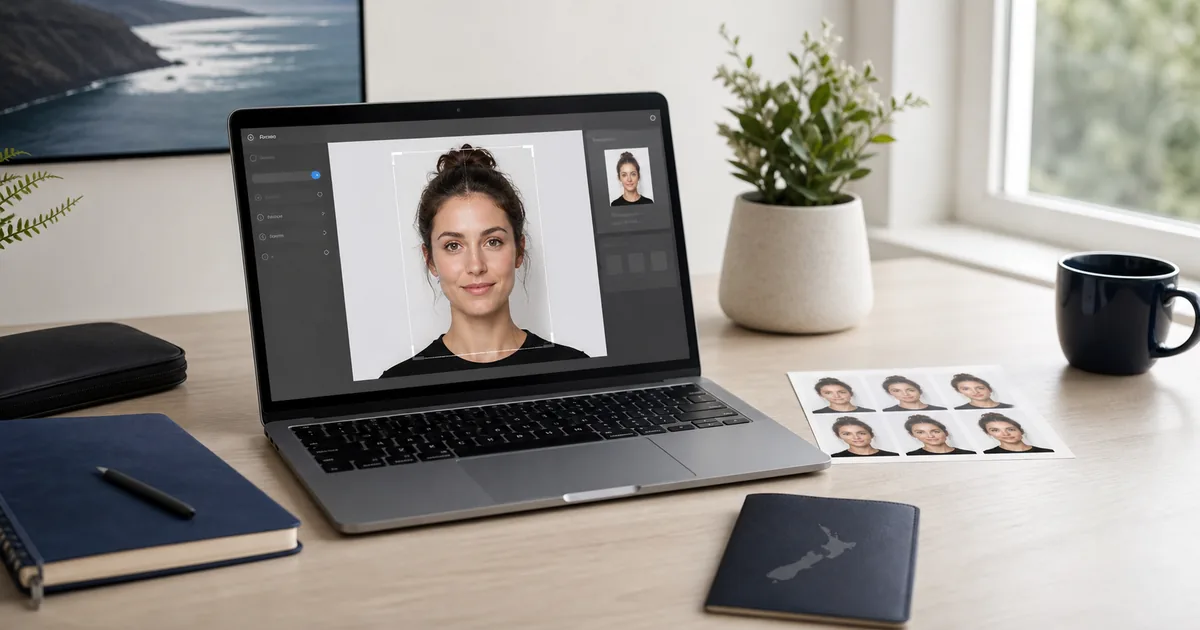
New Zealand passport photo requirements workspace with editor preview and print sheet

Photo guide preview

New Zealand Passport Photo: what to check before download

Use this New Zealand Passport Photo guide to check the photo size, background, face position, and export format before you upload or print your document photo.

Before submitting, compare the final crop against your appointment checklist. A clean source photo, even lighting, and the right print resolution usually matter more than aggressive editing or artificial sharpening.

NZ Passport Photo Specifications

Photo Size 35 x 45mm (1.38" 1.77")
Digital Size 413 x 531 pixels (at 300 DPI)
Head Height 32-36mm (chin to crown)
Background Colour Plain white or light grey
Colour/B&W Colour only
Age of Photo Taken within last 6 months
Glasses Allowed without glare (removal recommended)
Expression Neutral, mouth closed
File Format JPEG (for online applications)

Detailed DIA Photo Requirements

Dimensions & Framing

  • - Photo must be exactly 35mm wide 45mm high
  • - Head (chin to crown) should be 32-36mm
  • - Face should be centred horizontally
  • - Eyes should be approximately 28-35mm from bottom
  • - Small gap of 2-4mm above head to photo edge

Face & Expression

  • - Face the camera directly, looking straight ahead
  • - Neutral expression with mouth closed
  • - Both eyes must be open and clearly visible
  • - No squinting or excessive eye opening
  • - Natural skin tones (no filters)

Background

  • - Plain white or uniform light grey
  • - No patterns, textures, or shadows
  • - No other people or objects visible
  • - Must contrast with hair and face

Lighting Requirements

  • - Even lighting across the face
  • - No harsh shadows on face or background
  • - No red-eye effect
  • - Natural, accurate colour representation
  • - No overexposure or underexposure

Glasses & Accessories

  • - Prescription glasses allowed if no glare
  • - Eyes must be clearly visible through lenses
  • - No sunglasses or tinted lenses
  • - Frames should not cover eyes
  • - Removing glasses is recommended for best results

Head Coverings

  • - Religious head coverings permitted
  • - Face must remain fully visible
  • - No hats, caps, or beanies
  • - Medical exceptions with supporting documentation

Types of New Zealand Passports

Standard Passport

For New Zealand citizens for international travel. Available in 5-year or 10-year validity.

  • - 5-year: NZ$206 (online)
  • - 10-year: NZ$311 (online)
  • - Processing: 10-15 working days

Child Passport

For NZ citizens under 16. Requires consent from all guardians.

  • - Cost: NZ$113 (online)
  • - Validity: 5 years only
  • - Both parents must consent

Urgent Passport

Fast-track processing for urgent travel needs.

  • - 3-day: +NZ$200 extra
  • - Same day: +NZ$530 extra
  • - Available at selected offices

Online Passport Application Tips

Digital Photo Requirements

  • JPEG format, minimum 413 x 531 pixels
  • File size between 500KB and 10MB
  • High quality, no pixelation or blur
  • Accurate colours, no digital edits

Application Process

  1. 1 Go to passports.govt.nz and create RealMe account
  2. 2 Complete application form online
  3. 3 Upload your compliant photo
  4. 4 Pay online and await delivery

Common Photo Rejection Reasons

Smiling

Must have neutral expression

Wrong Size

Head too big or too small

Shadows

On face or background

Glasses Glare

Reflections hiding eyes

Blurry Photo

Not sharp enough

Wrong Background

Coloured or patterned

Old Photo

Must be under 6 months

Filters Used

No digital alterations

Frequently Asked Questions

What size is a New Zealand passport photo in pixels?

For digital applications, NZ passport photos should be at least 413 x 531 pixels at 300 DPI. Higher resolution is acceptable. The file should be in JPEG format between 500KB and 10MB.

Can I take my own passport photo in New Zealand?

Yes! The DIA accepts self-taken photos as long as they meet all requirements. Use a smartphone or camera, ensure good lighting and a plain background, then use VisaPicPro to format it correctly. Many Kiwis save money this way.

Where can I get passport photos taken in New Zealand?

Options include PostShops (NZ Post), pharmacies like Unichem and Life Pharmacy, photo shops, and AA centres. Prices typically range from NZ$15-25 for a set. Or use our free tool to make your own!

How long does a New Zealand passport take to process?

Standard processing takes 10-15 working days within NZ. From overseas, allow 20 working days. Urgent (3-day) and same-day services are available at additional cost from selected Passport offices.

Do NZ and Australian passport photos have the same requirements?

Yes, both use the same 35 x 45mm size and similar requirements (white background, neutral expression). Photos made for one should generally work for the other, though NZ also accepts light grey backgrounds.

Create Your NZ Passport Photo Now

Perfect 35 x 45mm photos that meet all DIA requirements. No trips to the photo shop needed!

Helpful checklist

Practical notes for New Zealand Passport Photo

For New Zealand Passport Photo, the safest result starts with a simple front-facing portrait: camera at eye level, shoulders straight, no heavy shadows, and a plain background that can be cleaned without cutting into the hair or face outline.

Do not reuse a cropped social-media profile picture unless it still has enough resolution. A low-quality source can pass the preview on screen but look soft after printing, especially when a 300 DPI sheet is required.

Use the country preset first, then compare the size, background, and face position against the exact passport, visa, ID, or embassy checklist for your appointment. Some offices update upload limits without changing the public photo size.

Quality notes

Final quality checks for New Zealand Passport Photo

Use New Zealand Passport Photo as a working checklist before you visit an office, upload to a portal, or send the photo to a print shop. The page is meant to help you avoid avoidable rejection reasons, not just show a size number.

Take the photo again if the eyes are soft, the face is tilted, the background has visible texture, or the hair blends into the wall. Those issues usually cannot be fixed cleanly later without creating an artificial-looking result.

For digital upload, check pixel size, file format, and file-size limit. For printing, check physical dimensions and DPI before cutting. If the page or embassy asks for a recent photo, do not reuse an old portrait even if the dimensions are correct.

One standard daily download is available for quick use. Choose HD or print-ready export when you need sharper output, repeated downloads, multiple paper sizes, or a printable sheet that keeps the final size consistent.

Before export: preview the crop at full size and check the background edge.
Before submit: compare the file with the latest appointment or upload checklist.
For print: use 300 DPI and avoid resizing the downloaded file manually.
For privacy: keep your original photo local unless an official portal asks for upload.