πŸ“ΈVisaPicPro
πŸ‡ΏπŸ‡¦DHA Compliant

South Africa Passport Photo Requirements

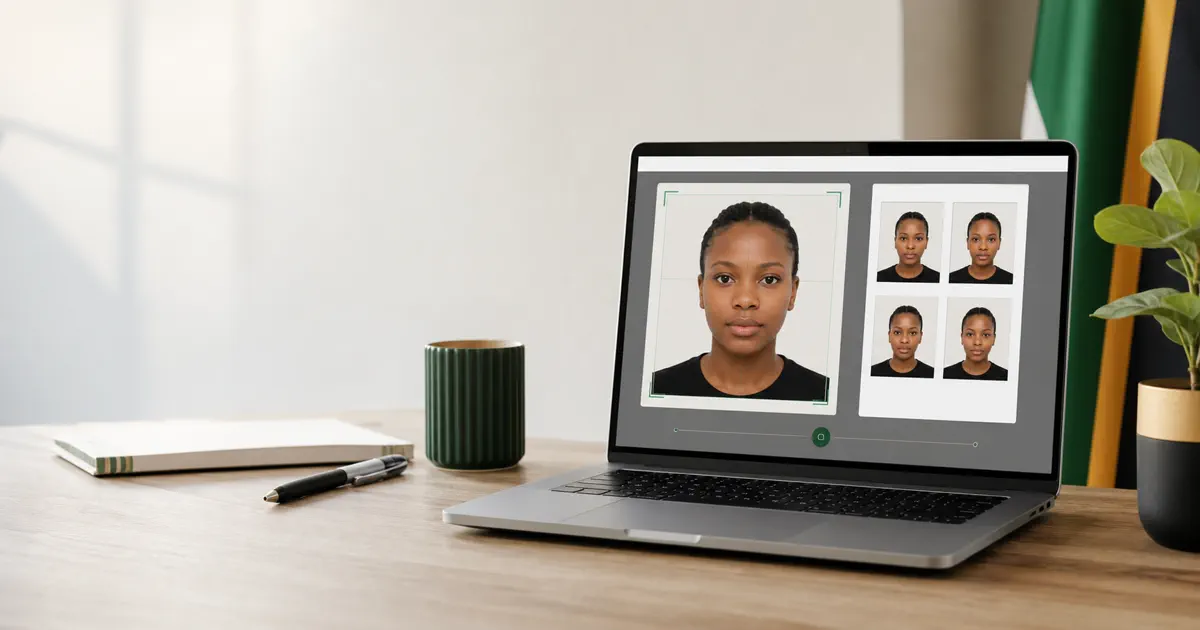
Create a 35Γ—45mm passport photo meeting Department of Home Affairs specifications. White or light gray background.

Create SA Passport Photo β†’
πŸ‘€
35 Γ— 45 mm

Photo Specifications

Size Requirements

Photo Size 35 Γ— 45 mm
Head Height 25-35 mm
Head Position Centered
Resolution 600 DPI

Technical

Background White/Light Gray
Paper Matte photo paper
Age Within 6 months
Quantity 2-4 photos

Common Mistakes to Avoid

❌

Incorrect Background

DHA (Department of Home Affairs) requires a white or light gray background. Many applicants submit photos with blue or beige studio backdrops β€” these get rejected immediately. Our tool sets the background to pure white.

❌

Wearing Sunglasses

No sunglasses, tinted lenses, or reflective eyewear of any kind. Even transition lenses with slight tint will be rejected. Regular clear prescription glasses are allowed if the frames don't cover your eyes.

❌

Face Not Fully Visible

Your full face from forehead to chin and from ear to ear must be clearly visible. Hair covering the forehead, scarves over the chin, or angled poses that hide one ear all cause rejection at DHA offices.

❌

Pixelated or Blurry Photo

Low-resolution photos or those taken with extreme digital zoom appear blurry when printed. DHA needs crisp detail for biometric matching. Use your phone's main camera and hold it steady.

❌

Shadow on Face or Background

Harsh overhead lighting creates nose and chin shadows. Side lighting creates uneven illumination. Stand facing a bright window or use two lights placed at 45-degree angles for shadow-free results.

❌

Selfie with Arm Visible

If you take a selfie, hold the phone far enough away (or use a timer) so your arm doesn't appear in the frame. Better still, ask someone to take your photo from about 1 meter away at face height.

How to Take a Perfect South African Passport Photo

πŸ“Έ

1. Take Your Photo

Stand against a plain white wall β€” even a white door works. Use daylight from a window facing you, or a bright room light. Keep a neutral expression, look straight at the camera, and drop your shoulders slightly.

⬆️

2. Upload & Process

Upload your photo and our AI automatically replaces the background, detects and centers your face, and crops to the exact 35Γ—45mm format that DHA and South African embassies require.

βœ…

3. Download & Print

Download the finished file and print 2-4 copies at any CNA, PostNet, or Clicks photo printing kiosk on glossy photo paper. Take them to your nearest DHA office along with your smart ID card and application form.

Frequently Asked Questions

What size is a South African passport photo? β–Ό
The official South African passport photo is 35mm Γ— 45mm. Your face from chin to top of head should occupy 70-80% of the photo height. This is the ICAO standard that DHA follows for all biometric travel documents.
Can I use my phone to take a DHA-compliant photo? β–Ό
Absolutely. Any smartphone from the last five years has sufficient camera quality. The key is good lighting and a clean white background. Upload your phone photo to VisaPicPro and we'll format it to DHA standards in seconds.
How many passport photos does DHA require? β–Ό
DHA typically requires 2 photos for adults and children. However, some offices may ask for up to 4, especially for first-time applications or emergency passports. It's wise to print 4 copies so you have spares.
Can I apply for a South African passport online? β–Ό
South Africa has been rolling out an online passport application system. For online applications, you upload a digital photo that meets the same biometric requirements. VisaPicPro provides both the digital file and print-ready format from a single upload.
Is this tool really free? β–Ό
100% free β€” no registration, no watermarks, no hidden charges. Photo shops in South Africa charge R50-150 for passport photos. Save your rands and create a perfect DHA-compliant photo from home. Everything runs locally in your browser for complete privacy.

Create Your SA Passport Photo

Get DHA-compliant photos in 60 seconds. Free, no registration.

Create Photo β†’