📸VisaPicPro
🇳🇱No Glasses

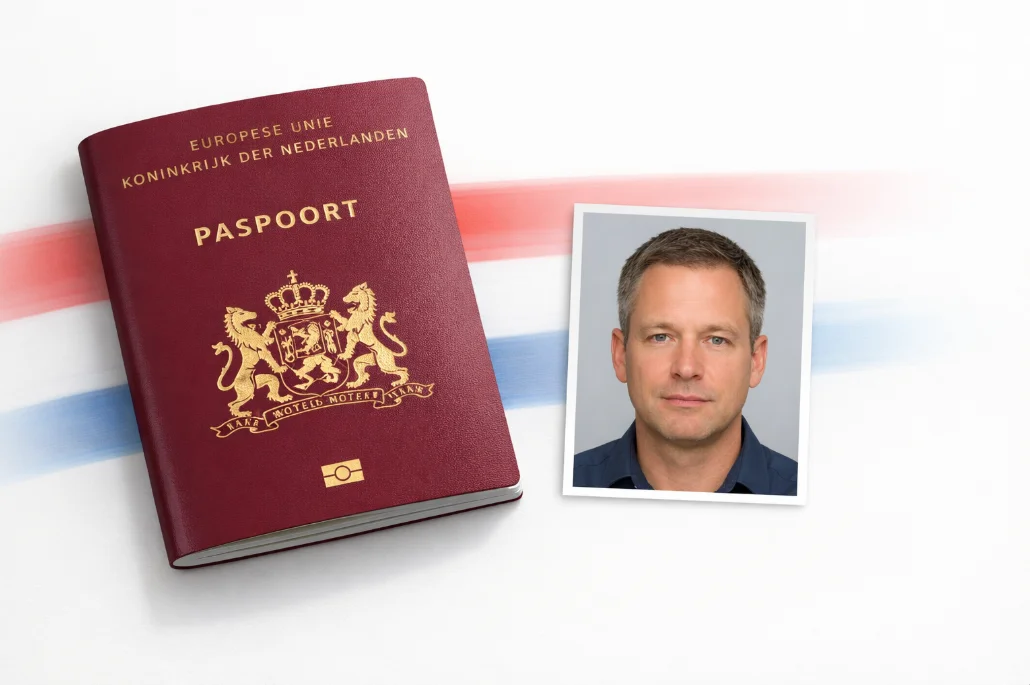
Netherlands Passport Photo Requirements

Create a 35×45mm passport photo meeting Dutch government specifications. Light gray background, no glasses allowed.

Create Dutch Passport Photo →
👤
35 × 45 mm
Light gray bg
⚠️

Glasses Ban Since 2021

The Dutch government no longer allows glasses in passport or ID photos. Remove all eyewear before taking your photo, including prescription glasses.

Photo Specifications

Size Requirements

Photo Size 35 × 45 mm
Head Height 26-30 mm
Eye Line 20-30 mm from bottom
Resolution 600 DPI

Technical

Background Light Gray
Paper Matte photo paper
Age Within 6 months
Glasses Not Allowed

Common Mistakes to Avoid

Wearing Glasses

Since 2021, the Netherlands has banned all glasses in passport photos — including prescription glasses and reading glasses. This is the single most common rejection reason at Dutch gemeentehuizen.

White Background Instead of Gray

Unlike most countries, the Netherlands requires a light gray background — not white. This catches many people off guard. Our Dutch preset uses the exact Rijksoverheid-specified gray shade.

Mouth Open or Smiling

Keep a completely neutral expression with mouth closed. The Dutch biometric system requires facial muscles to be relaxed — no smile, no frown, no tension. Just a natural resting face.

Head Not Centered

Your face must be perfectly centered with equal margin on both sides. The head should occupy 26-30mm (chin to crown) in the 35×45mm frame. Our AI handles precise centering and scaling.

Shadows on Face

Dutch standards require completely even illumination across the full face. No shadows under the nose, chin, or beside the ears. Use front-facing diffused light for best results.

Hair Covering Face

Your forehead, eyes, nose, mouth, and chin must all be clearly visible. Push hair behind ears and away from your forehead. Both ears should ideally be visible too.

How to Take a Perfect Dutch Passport Photo

📸

1. Take Your Photo

Stand against a plain wall (we'll set the background color). Remove your glasses. Look directly at the camera with a neutral expression. Use bright, even lighting — a window works great.

⬆️

2. Upload & Process

Upload to VisaPicPro and the AI replaces the background with the correct Dutch light gray, centers your face, and crops to the exact 35×45mm Rijksoverheid format.

3. Download & Print

Download and print on glossy photo paper. Take it to your local gemeentehuis (gemeente) when applying for your passport. You can also print at any Hema, Kruidvat, or photo kiosk.

Frequently Asked Questions

Why does the Netherlands require a gray background?
The Dutch Rijksoverheid specifies a light gray background for all identity documents — passports and ID cards. This is different from most countries and Schengen visa photos (which use white). Our Dutch passport preset uses the exact gray shade required.
Can I wear glasses in my Dutch passport photo?
No. Since 2021, the Netherlands has completely banned glasses in all passport and ID photos — even prescription glasses. This applies to all new applications and renewals. Remove them before taking your photo.
Where do I apply for a Dutch passport?
At your local gemeente (municipality office). Book an appointment online through your gemeente's website. Dutch citizens abroad can apply at the nearest Dutch embassy or consulate. Bring a valid ID, your current passport (if renewing), and 1 photo.
How many photos do I need?
Most gemeenten require 1 photo, but it's wise to bring 2. Some offices still take their own digital photo at the counter, in which case your printed photo serves as a backup reference.
Is this tool free?
Yes — 100% free, no account needed, no watermarks. Photo booths in the Netherlands charge €6-10 per set. Create yours at home for free — processed entirely in your browser, your photo never gets uploaded to any server.

Create Your Dutch Passport Photo

Get Rijksoverheid-compliant photos in 60 seconds. Free, no registration.

Create Photo →