
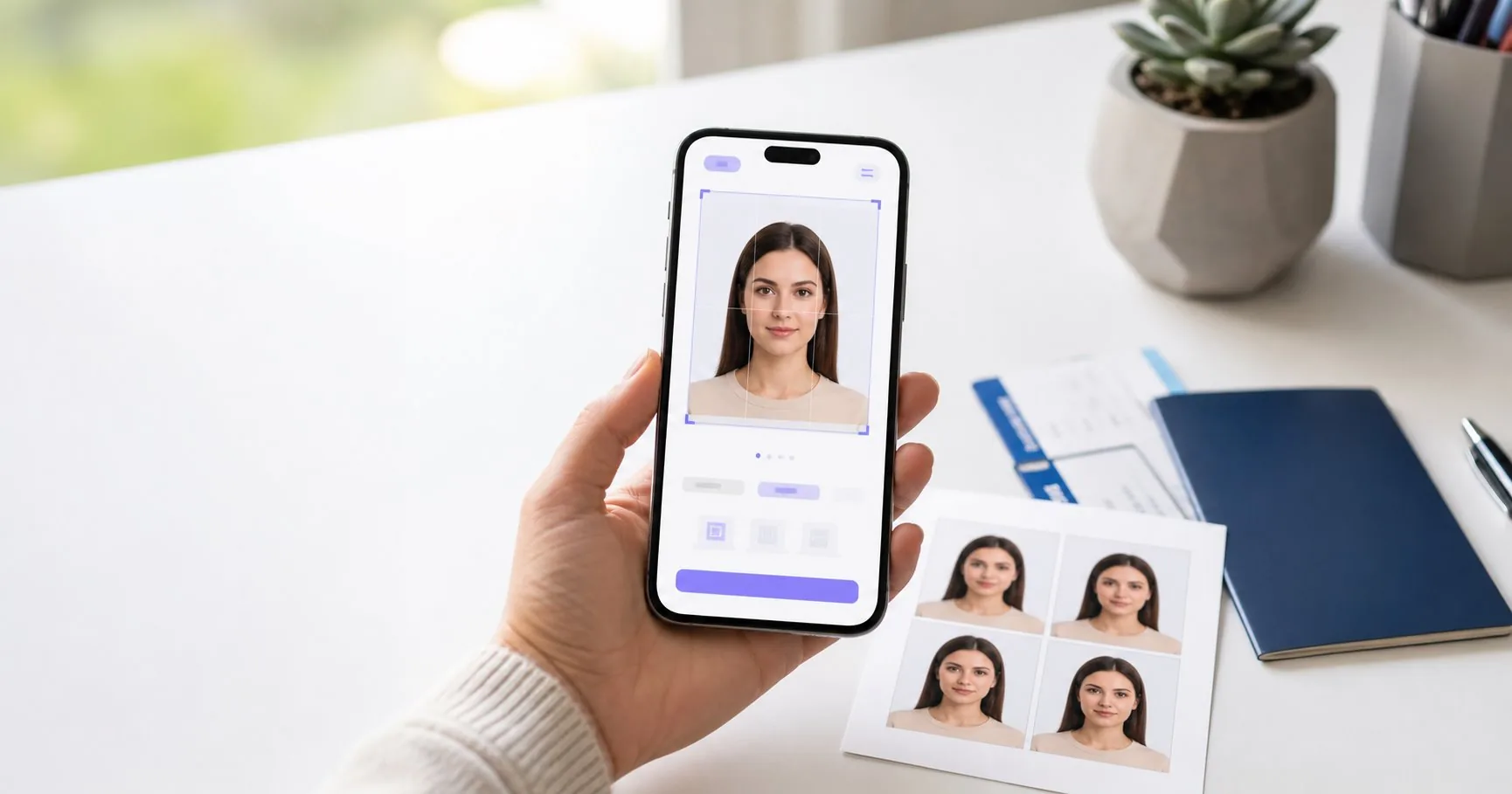
A passport photo looks simple until it gets rejected. The face is too large, the background is not clean enough, the file is too small, the lighting creates a shadow, or the printed copy is not the right size. That is why many people still go to a photo studio even when they already have a good phone camera at home.
The real question is not whether a studio or an AI passport photo maker is automatically better. The better question is: which option gives you the right final file for your exact application with the least friction? For a paper passport renewal, a local studio may feel familiar. For an online visa or passport upload, a digital-first tool often makes more sense because it exports the file in the format the application portal expects.
Quick Answer
Use a photo studio if you need help taking the picture, do not have a suitable phone, or want someone else to handle the process in person. Use an AI passport photo maker if you already have a clear photo, want faster results, need a digital file, want a print sheet, or want to avoid paying studio prices for a simple crop and background correction.
For most everyday passport and visa photo needs, the online route is now the more convenient choice. A tool like VisaPicPro can crop to country-specific dimensions, prepare a white background, create a standard single-photo file, and generate a print-ready sheet for common paper sizes. The main responsibility still belongs to the user: start with a sharp, honest, front-facing photo and follow the official requirements for expression, clothing, and head position.
Cost Comparison
A studio or pharmacy photo counter often charges a fixed price for two printed photos. That can be reasonable when you only need physical copies and the store is nearby. The downside is that you may pay again if you later need a digital file, a different country size, or a print sheet with more copies.
An AI passport photo maker usually costs less because the expensive part of the process - studio time - is removed. You take the photo yourself, upload it, and let the tool format the image. This is especially helpful for families. If four people need passport photos, paying a studio price four times can become unnecessary spending. With an online tool, you can create each photo, check the crop, and download the correct format without booking anything.
Speed and Convenience
The biggest advantage of online passport photo tools is speed. You do not need to travel, wait in line, or repeat the visit if you discover that your application requires a digital file instead of printed copies. You can take ten photos at home, choose the best one, and process it immediately.
Studios are slower but sometimes easier for people who are not comfortable taking their own picture. A good studio assistant can tell you to stand straighter, move away from the wall, remove glare from glasses, or relax your expression. If the person being photographed is a baby, an elderly parent, or someone who cannot easily follow framing instructions, the studio may still be useful.
Quality: What Actually Matters
Passport photo quality is not about artistic beauty. It is about compliance. The image must show the face clearly, keep natural skin tone, avoid heavy edits, use a plain background, and fit the official crop. A studio can produce a sharp image, but it can also make mistakes if the operator uses the wrong preset. An AI tool can crop precisely, but it cannot rescue a blurry photo or a face hidden by hair.
A good source photo should have:
- Even light on both sides of the face.
- No strong shadow behind the head or under the chin.
- A neutral expression with eyes open.
- A plain shirt that does not blend into the background.
- A camera position around eye level, not from above or below.
- Enough space around the head and shoulders for cropping.
If these basics are correct, an AI passport photo maker can produce a clean, professional output. If these basics are wrong, a studio may be better because the photo should be retaken rather than over-edited.
Privacy and Control
Passport photos are personal documents. Some users prefer a studio because they trust a local business. Others prefer an online tool because they can create the file privately at home and avoid sending the image through messaging apps or email. The best option depends on how the service handles data and whether you feel comfortable with the workflow.
When using any online passport photo maker, choose a tool with clear privacy wording and avoid uploading unnecessary documents. You usually do not need to upload a passport scan, ID card, or application form to make a passport photo. A face photo is enough. If a service asks for more information than needed, that is a reason to pause.
Digital Uploads vs Printed Photos
This is where online tools can be stronger than studios. Many application portals now care about pixel size, file size, background color, and digital crop. A printed photo from a studio may look fine, but scanning it back into a digital file can reduce quality and create compression artifacts. If your application is online, start with a digital workflow.
VisaPicPro is designed for that type of workflow. You can create a standard photo for a basic download or upgrade for HD and a print-ready sheet when you need cleaner output. The point is not to make the photo look glamorous. The point is to produce a practical, correctly sized file that can be used for applications and printing.
When a Studio Is Still the Better Choice
A studio is still useful in a few cases. If your room is dark, your phone camera is poor, or you cannot find a clean background, a studio can save time. If you are applying for a document with strict biometric photo rules and you are unsure about every requirement, an experienced photographer may help. If you need printed copies immediately and do not own a printer, a local counter can be convenient.
The mistake is thinking that studio automatically means approved. Approval depends on the final photo, not the place where it was made. Always check the crop, background, expression, and file requirements before submitting.
When an AI Passport Photo Maker Is Better
An AI passport photo maker is better when you want control. You can retake the photo as many times as needed, compare results, choose the most natural expression, and create different sizes for different countries. It is also better when you need both a digital file and a print sheet. Instead of paying separately for every version, you can export the format you need.
This is useful for travelers applying to multiple visas, remote workers preparing ID photos, students filling forms, and families renewing several passports at once. It is also helpful when the nearest studio is far away or closes before you can visit.
Best Practical Workflow
Start by taking the photo at home in daylight. Stand about one step away from a plain wall so your head does not cast a hard shadow. Ask someone else to take the photo with the rear camera, or use a tripod and timer. Keep the camera at eye level. Take several versions, then upload the sharpest one to VisaPicPro.
Choose the destination country or document type, check the crop, and download the file that matches your need. If you only need one standard digital photo, the free daily download may be enough. If you need HD quality, a 300 DPI print sheet, both files, or repeated downloads, use the Pro option. That is the balanced approach: do the simple work free, pay only when the output needs to be print-ready or higher quality.
Final Verdict
For most users in 2026, an AI passport photo maker is the smarter first choice. It is faster, cheaper, more flexible, and better suited to online applications. A studio is still useful when you need hands-on help taking the picture or instant printed copies. The best result comes from combining good source photography with correct formatting.
If your photo is already clear, well lit, and front-facing, try the online route first. You may save a trip, avoid extra cost, and get both digital and print-ready output from the same workflow.
Create Your Passport Photo Online
Upload your photo, choose the right country size, and export a standard or HD print-ready result with VisaPicPro.
Start Now